Module 3 sections · Training guide
Facilities & Equipment Writer
Describe the facility for 3.2.A.1: room classifications and pressure cascade, flows, shared and dedicated equipment, and cleaning validation with limits calculated from the PDE of each product on shared equipment.
Open the tool at https://app.cmcfy.com/app/facilities-equipment.html. This guide is also online at https://cmcfy.com/guides/facilities-equipment.html
1. What this module does
Biotechnology products, and sterile products in many cases, need a facilities and equipment appendix (3.2.A.1). This module writes it from your room list, equipment list and cleaning validation data.
It calculates the maximum allowable carryover (MACO) for every pair of products that share equipment, from the PDE of the previous product, the minimum batch size of the next one and its maximum daily intake, and converts the worst case to a swab limit from the shared surface area and swab area.
What you get
- A Word or PDF file for 3.2.A.1 Facilities and equipment.
- A summary file for the QOS Composer & Dossier Assembler.
2. Before you start
Have these ready. You can still start with the example data and replace it piece by piece.
- Site and building, type of operation, and whether the facility is multi-product.
- Descriptions of flows (people, materials, product, waste), HVAC and environmental monitoring, and the contamination control strategy reference.
- Rooms with activity, grade or ISO class, pressure difference and air changes.
- Major equipment, dedicated or shared, and the cleaning method; the shared product-contact surface area and swab area.
- Every product made on the shared equipment with PDE, minimum batch size and maximum daily intake; the cleaning validation summary and hold times.
3. Step by step with the example
Open the tool at app.cmcfy.com/app/facilities-equipment.html. The example is loaded when the page opens, so every panel already has realistic data. Follow the steps to see how it works, then replace the example with your own data.
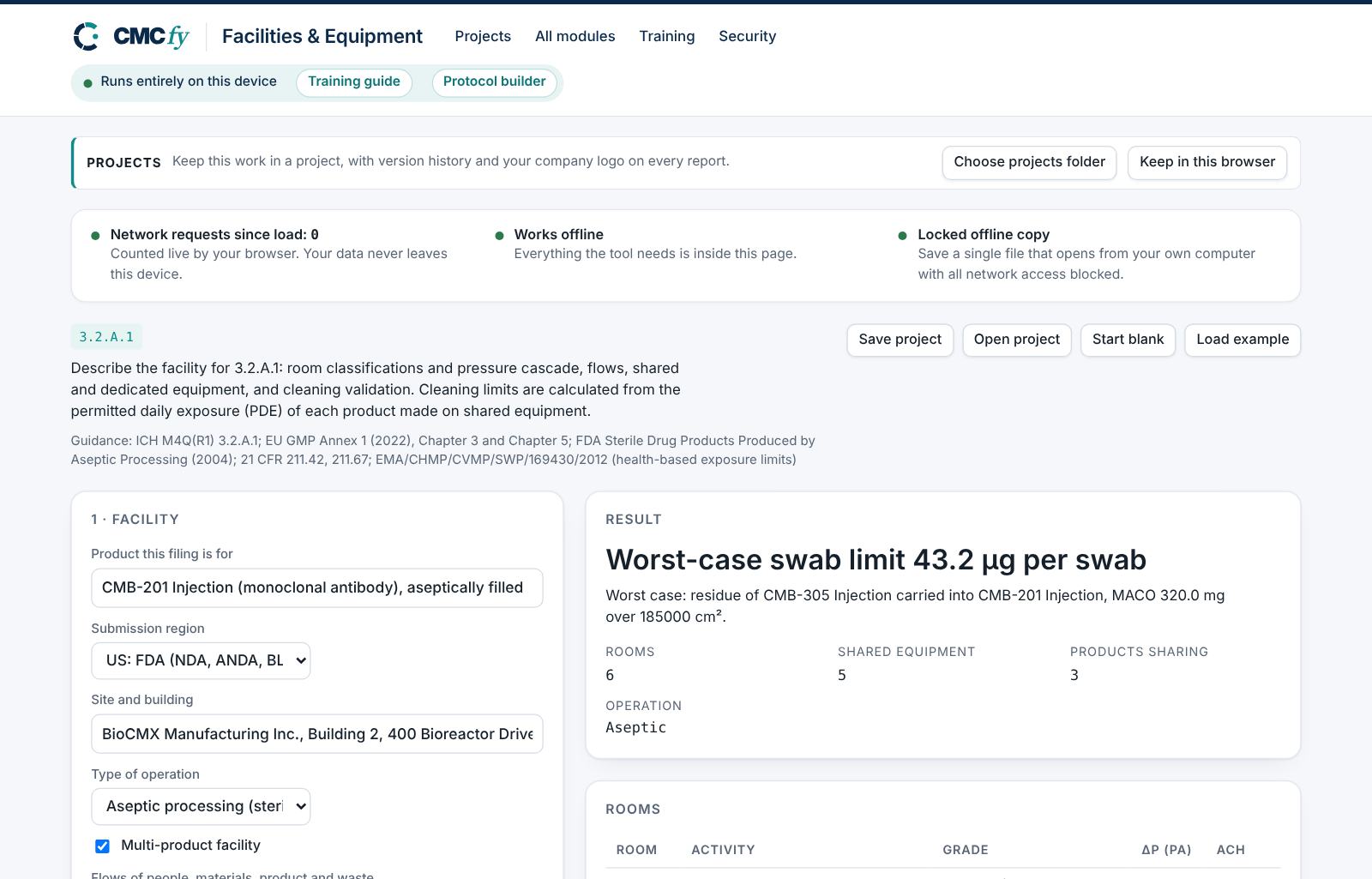
Describe the facility
Enter the site, choose the Type of operation (aseptic, terminally sterilised, biologic drug substance, or non-sterile) and tick Multi-product facility if it applies. Describe flows, HVAC and the contamination control strategy.
List rooms and equipment
Enter each room with its grade and pressure difference. For aseptic processing, the filling room must be Grade A with a Grade B background, and pressure differences should be at least 10 Pa.
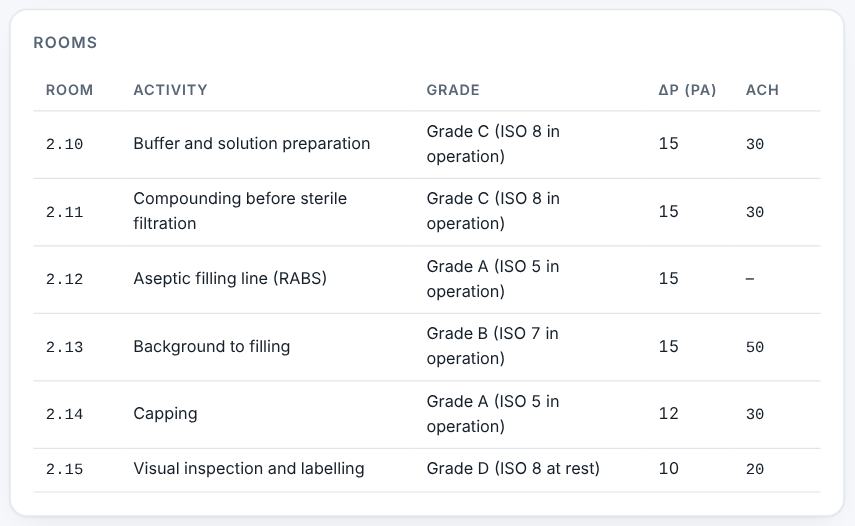
Rooms with grades and pressure cascade. Enter cleaning validation data
List every product on the shared equipment, including this one, with PDE, minimum batch size and maximum daily intake. Enter the shared surface area and swab area.
Read the cleaning limits
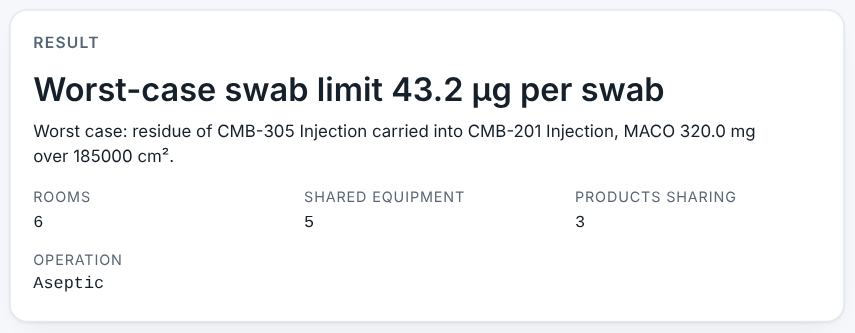
The headline gives the worst-case swab limit: 43.2 µg per swab, for residue of CMB-305 Injection carried into CMB-201 Injection (MACO 320.0 mg over 185,000 cm²).
Preview and download
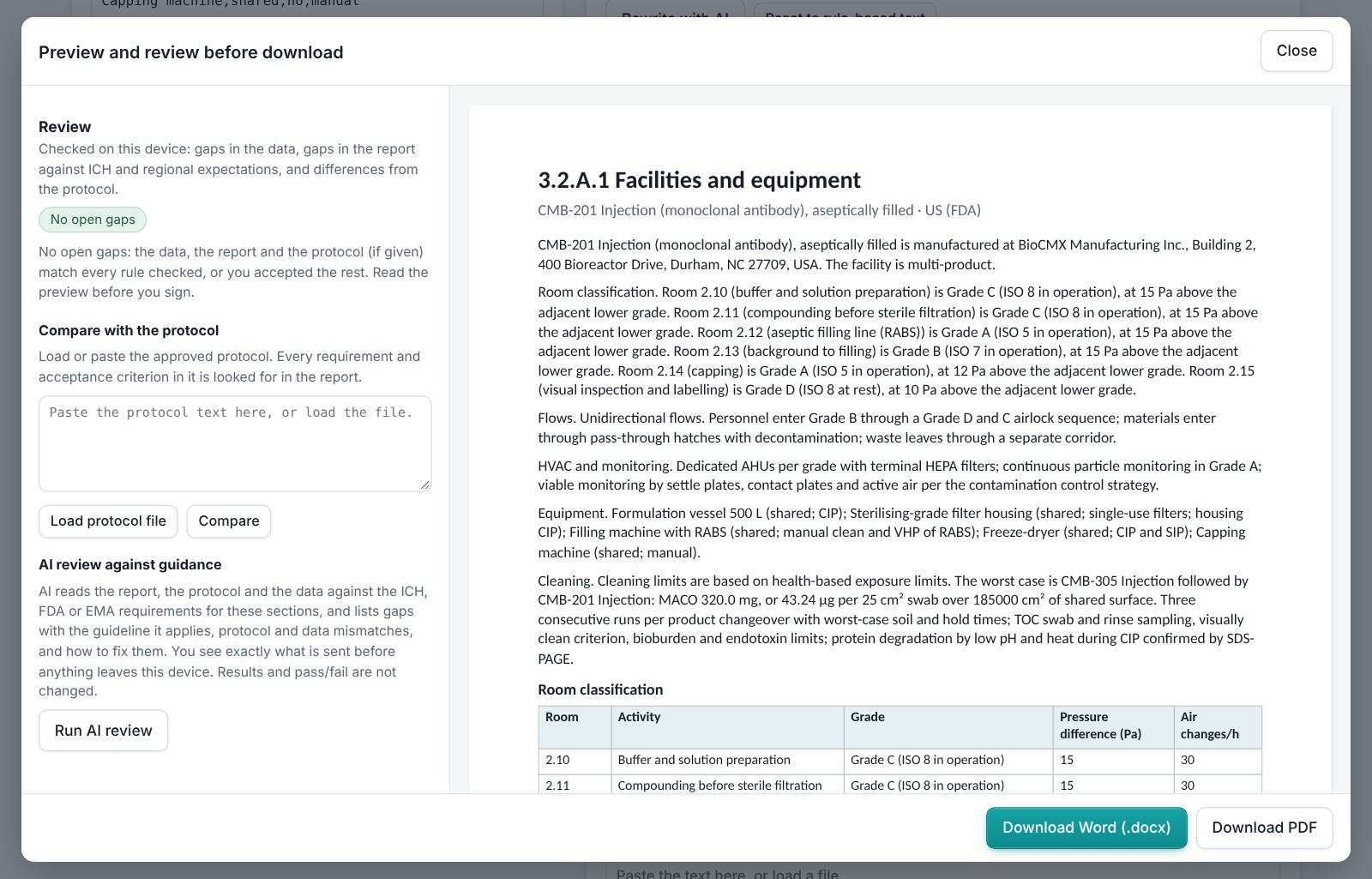
The example has no alerts. Preview 3.2.A.1, read the review and download.
4. Field reference
Every input in the tool, panel by panel. Tables accept rows pasted straight from Excel, comma-separated text, or a loaded file; check the columns after loading a file. Fields marked “when it applies” appear only for the choices that need them.
1 · Facility
| Field | What to enter |
|---|---|
| Product this filing is for | Type it in. |
| Submission region | Choose one: US: FDA (NDA, ANDA, BLA, IND); EU: EMA and national agencies (MAA); Both US and EU. |
| Site and building | Type it in. |
| Type of operation | Choose one: Aseptic processing (sterile); Terminally sterilised; Biologic drug substance (cell culture and purification); Non-sterile (oral, topical). |
| Multi-product facility | Tick the box if it applies. |
| Flows of people, materials, product and waste | Type it in. |
| HVAC and environmental monitoring | Type it in. |
| Contamination control strategy reference | Type it in. |
2 · Rooms and classifications
| Field | What to enter |
|---|---|
| Rooms | A table. Columns: Room | Activity | Grade or ISO class | Pressure difference to adjacent lower grade (Pa) | Air changes per hour. Paste rows from Excel, type comma-separated rows, or press Load file (Excel, CSV, Word, PDF or a scan). |
3 · Equipment
| Field | What to enter |
|---|---|
| Major equipment | A table. Columns: Equipment | Dedicated or shared | Product contact | Cleaning (CIP, manual, single-use). Paste rows from Excel, type comma-separated rows, or press Load file (Excel, CSV, Word, PDF or a scan). |
| Shared product-contact surface area of the train (cm²) | Total product-contact surface area of the shared equipment train. Type a number. |
| Swab area (cm²) | Area sampled by one swab, usually 25 or 100 cm². Type a number. |
4 · Cleaning validation
List every product made on the shared equipment, including this one. PDE values come from the toxicology assessment.
| Field | What to enter |
|---|---|
| Products on shared equipment | PDE from the toxicology assessment; maximum daily intake of the next product in mg/day. A table. Columns: Product | PDE (mg/day) | Minimum batch size (kg) | Maximum daily intake of the product (mg/day). Paste rows from Excel, type comma-separated rows, or press Load file (Excel, CSV, Word, PDF or a scan). |
| Cleaning validation summary | Type it in. |
| Dirty hold time validated | Type it in. |
| Clean hold time validated | Type it in. |
5. Checks and alerts
Calculations and pass/fail outcomes always come from fixed rules, never from AI. The tool checks:
- Flows, HVAC and environmental monitoring described; a contamination control strategy referenced (major in EU mode, per EU GMP Annex 1).
- Rooms listed with recognised grades; for aseptic processing a Grade A filling room with a Grade B background and a compounding room; pressure differences of at least 10 Pa.
- Equipment listed with cleaning methods.
- Cleaning validation: more than one product listed when equipment is shared, PDE for each, surface area given, a summary present, visually clean as a criterion, microbial and endotoxin limits, dirty and clean hold times.
- Segregation: beta-lactams in a shared facility are critical; highly potent products on shared equipment, and segregation before and after viral clearance for biologics, are flagged.
How to resolve alerts
- Critical alerts block the download and must be fixed in the data. A failing result can instead be linked to an investigation: type the investigation reference and outcome and press Record.
- Major alerts block the download until you fix them or type a justification and press Accept justification.
- Minor alerts do not block anything. They are listed in the documents so the reviewer sees them.
- Some alerts have an Apply fix button that makes the change for you. Reopen undoes a justification.
Narratives
This module writes: Facility description. Each narrative is written by fixed rules from your data. You can edit it in the box. Rewrite with AI (where your plan includes AI) rewrites it in regulatory style; every number in the text is checked against your data, and a number that does not match is flagged under the box and blocks the download until you correct it. Reset to rule-based text brings back the original.
6. Preview, gap review and download
- Press Preview next to a section, or Preview and download all. The document opens in a preview window, exactly as the Word file will read.
- The left side lists the review, run on your device: gaps in the data (missing values, open alerts), gaps in the report (missing content the guidance expects, placeholders such as [site] or TBD left in the text) and, if you load the approved protocol under Compare with the protocol, differences from the protocol (requirements, criteria, batches or time points it plans that the report does not show).
- Click a finding to jump to the place in the preview. Fix it in the tool, then preview again.
- Optional AI review: a second read for contradictions, claims without data and vague wording. The report text is sent to Claude only when you press it, and only where your plan includes AI. Check every AI finding; AI can be wrong.
- Press Download Word (.docx) or Download PDF. With several documents open, All as Word (.zip) and All as PDF (.zip) download the set. The download buttons stay disabled while a blocking alert is open; the preview still works.
Documents this module produces
| Section | Document |
|---|---|
| 3.2.A.1 | Facilities and equipment |
Use Save project to keep your work as a file on your computer, and Open project to continue later. Start blank clears every field; Load example brings the example back. Nothing is stored on CMCfy servers.
7. US and EU submissions
US mode cites 21 CFR 211 subparts C and D and the FDA aseptic processing guidance (2004), and ISO 14644 classes. EU mode cites EU GMP Annex 1 (2022) grades A to D, requires a contamination control strategy, and the EMA guideline on setting health-based exposure limits (PDE) for shared facilities.
8. Working with other modules
- Process steps and equipment should match the Process & Controls Writer, Biologics Process Writer or Biologics Drug Product Writer.
- Viral safety segregation links to the Viral Safety Studio module.
9. Common pitfalls
- Listing only this product in the cleaning table when equipment is shared. The MACO needs every product that can follow another.
- Using ISO class and grade inconsistently. Write "Grade A" or "ISO 5" as your site documents do.
- Forgetting to update the swab limit when the swab area changes.
- No hold times: reviewers ask how long equipment may stay dirty or clean before use.
10. Practice exercises
Each exercise starts from the example (press Load example to reset). We run these on every update of this guide, so the result you see should match.
Change the swab area
Change Swab area (cm²) from 25 to 100.
Expected resultThe headline reads "Worst-case swab limit 173.0 µg per swab".
Remove the dirty hold time
Clear Dirty hold time validated.
Expected resultA minor alert says the dirty hold time is not validated.
Downgrade the filling room
In the rooms table, change the aseptic filling line from Grade A to Grade B.
Expected resultA critical alert says no aseptic filling room is in Grade A.